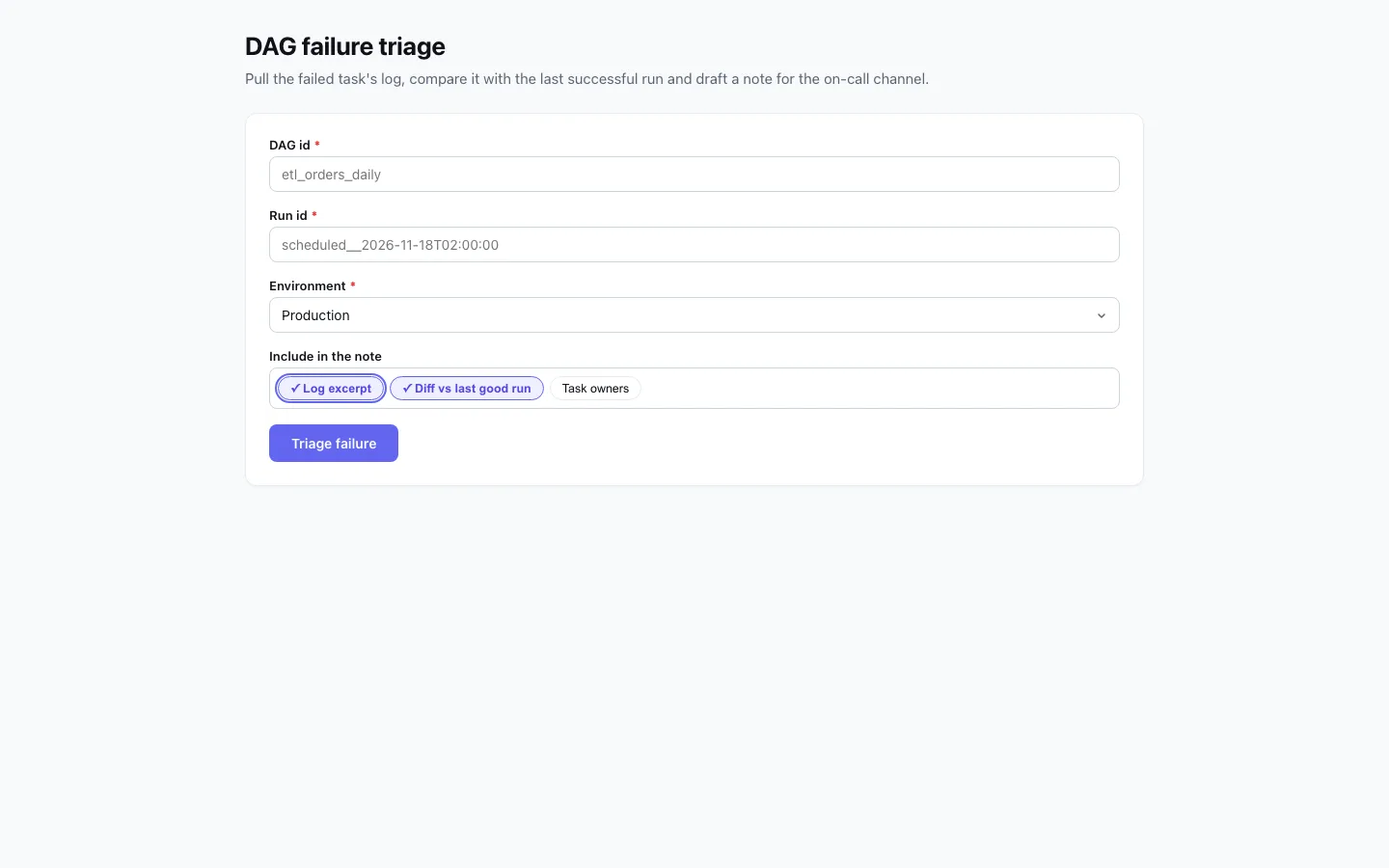
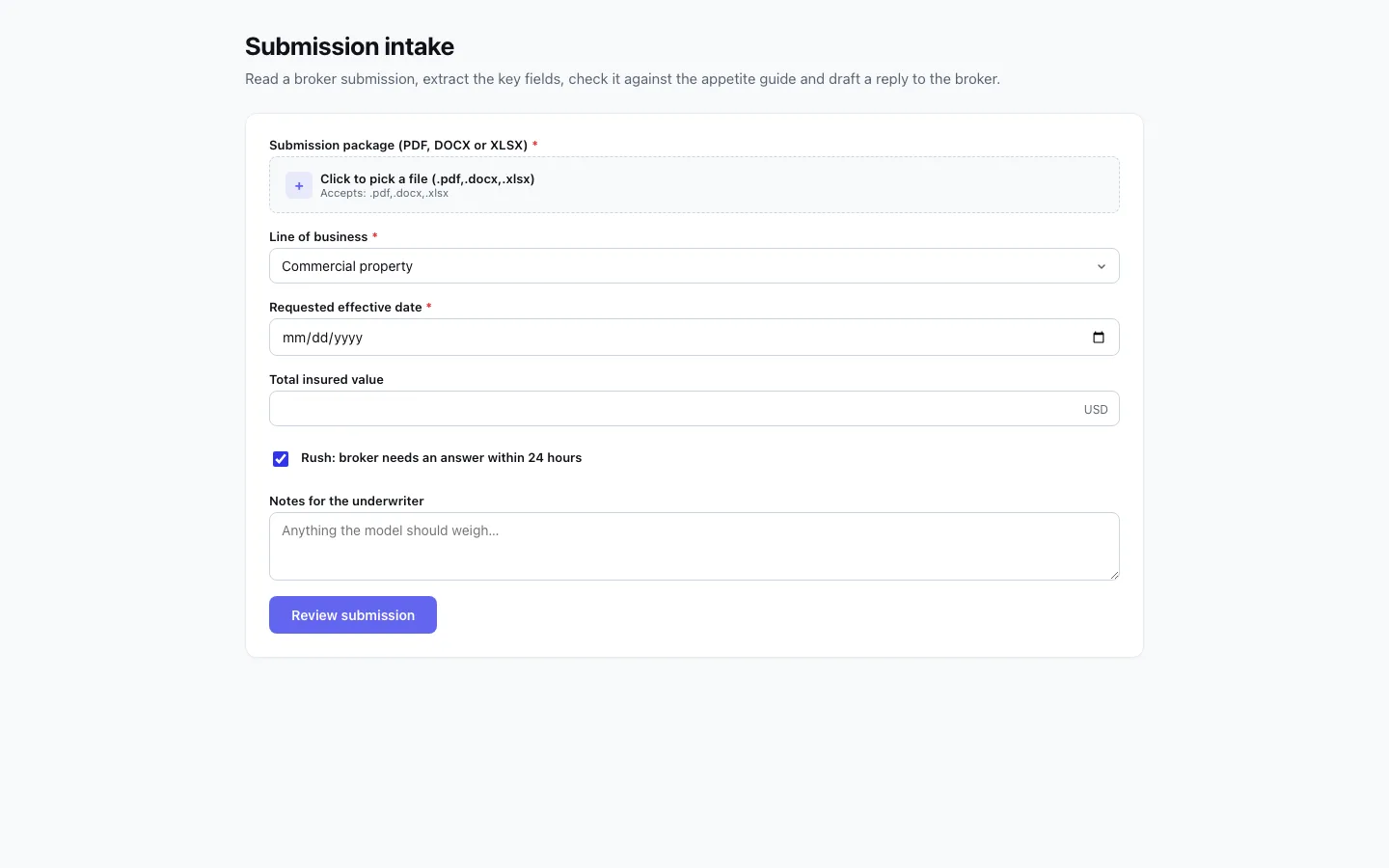
A lot of skilled work in operations, data and insurance teams is the same handful of steps done again and again: read a document, check it against a guide, look something up in a database, write it up for someone. InsightWorker is an AI worker for that kind of work. It runs an agent with tools that can touch your files, shell, databases and business systems, on the model provider you choose, and packages repeatable tasks as apps that anyone can run from a form, a terminal or a schedule.
The pieces
The agent
At the core is a tool-using agent loop. You ask in plain language ("compare row counts between MySQL and Oracle for the users table"); the agent plans, calls tools (read and write files, run shell commands, query a database, list Airflow DAGs, read email), looks at the results and continues. Every tool call is visible as it happens.
Apps
An app is a small folder that turns a task into something repeatable: a widget.json describing the form people fill in
and the result panels they see, a workflow.yaml with the steps (each either a model prompt or a deterministic shell command), a
plan.md with the author's instructions, plus app.yaml metadata and a manifest.yaml. The same app runs
from the REPL, as a form in the browser, or headless from a script. See the anatomy of an app.
Project context
Run /init in a project and InsightWorker creates a .insightworker/ folder. Playbooks there are
markdown files loaded into the conversation always, automatically when a message matches their description, or on demand with
@name. Guards are YAML checks that run when the agent writes a file, or by hand.
Bundled skills add domain know-how (pipeline triage, DAG review, document OCR, policy comparison and others). More in
playbooks, guards and project context.
Ways to run it
- Interactive:
insightworkeropens a REPL with slash commands for apps, playbooks, guards, tools and memory. - One-shot:
insightworker -c "list all Airflow DAGs"for scripts and CI. - Browser:
insightworker --webserves chat, apps and a file manager on a local port, for teammates who do not live in a terminal. - Headless apps and schedules: run an app with inputs and get structured events back, or let the scheduler fire apps and prompts on an interval or a cron expression. See schedules and headless runs.
There is also a VS Code extension and a desktop wrapper around the same agent.
Your model, your keys
InsightWorker does not ship with a model. You point it at AWS Bedrock, the Anthropic API, OpenAI, Azure OpenAI, Google Gemini or Vertex AI, or any OpenAI-compatible endpoint, with your own credentials; an app step can name a different model from the rest. See bring your own model.
Standalone or enterprise
Out of the box it runs standalone: configuration in a local .env, nothing else involved. In enterprise mode it signs in to
the InsightWorker console, which holds the organisation's policy, the approved skills and playbooks, and receives usage events. The
worker enforces the console's model allow and deny lists before each run, and the policy also carries tool deny-lists and quotas. See rolling InsightWorker out to a team.
widget.json, served locally for two made-up apps. Everything else is described from the product's code and shown as diagrams; every company and person in the examples is made up.Next: the anatomy of an app.