Any agent, no lock-in
Change the model with one setting, or switch model per task to balance cost and quality. Apps and skills are plain YAML, JSON and Markdown files that stay with you.
InsightWorker is the harness your agents run on: the agent loop, skills, tools and schedules, on the model you choose, inside your cloud and behind your sign-in. Nothing in it ties you to one model vendor or to our cloud.
Counted from the product repositories, not rounded up.
A model on its own answers questions. To do work, it needs a loop that calls tools, a way to ask a person before it changes anything, memory of the project it is in, a schedule, and somewhere to record what it did. That is the harness.
InsightWorker gives you that layer once. Your teams write the part that is theirs: an app, a skill or a playbook, each a small folder of YAML, JSON and Markdown.
Three things we will not trade away: your choice of model, your control of where it runs, and a clear statement of which safeguards are on.
Change the model with one setting, or switch model per task to balance cost and quality. Apps and skills are plain YAML, JSON and Markdown files that stay with you.
All of this is built. Some of it waits for you to switch it on, and we say which.
Pre-built skills for insurance, healthcare, retail and finance. A skill is a simple Markdown definition, so your team adds its own, and the tool system is pluggable: any API or connector.
The same apps, skills, models and tool permissions, whichever way a person or a job starts the work.
An interactive session, a one-shot prompt for scripts, and headless app runs for pipelines. Slash commands cover apps, playbooks, guards, memory and tools.
insightworker opens the interactive sessioninsightworker -c "..." runs one prompt and exitsinsightworker app run <slug> runs an app with no one at the keyboard# pick a back end: bedrock, anthropic, openai, # azure, gemini, vertex or custom $ export LLM_PROVIDER=bedrock $ insightworker insightworker> /init # sets up .insightworker/ here insightworker> /app create "convert docx files to pdf" --ui insightworker> /app run convert-docx-to-pdf --ui insightworker> /tools # 70 tools; 17 need approval # the same app, headless, from a script or a scheduler $ insightworker app run convert-docx-to-pdf \ --input docx_file=./brief.docx
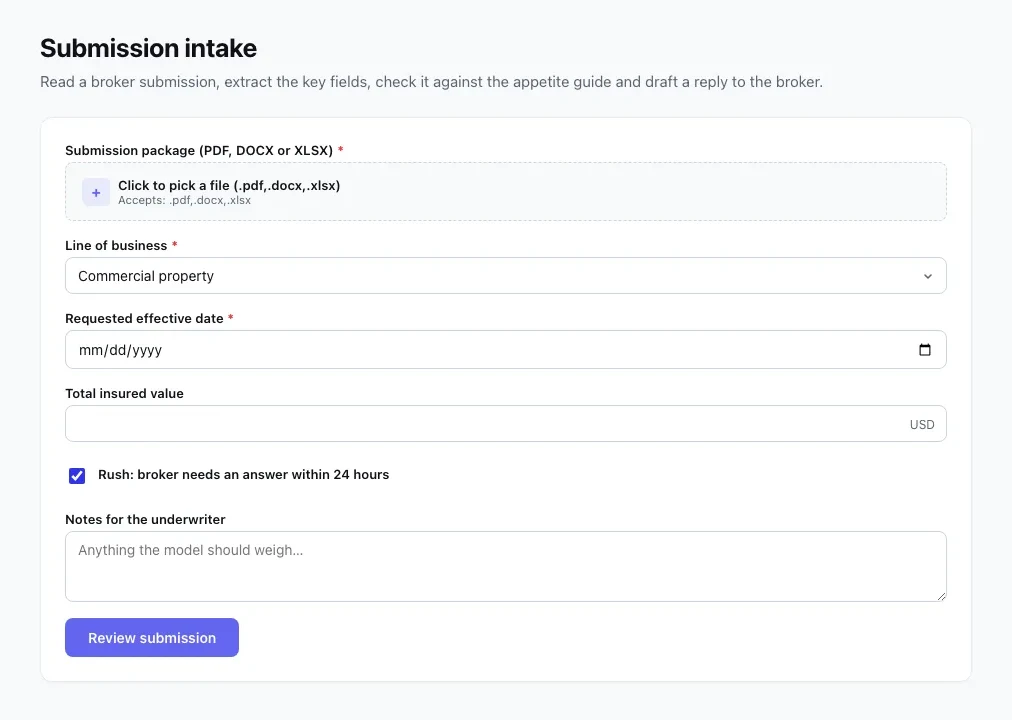
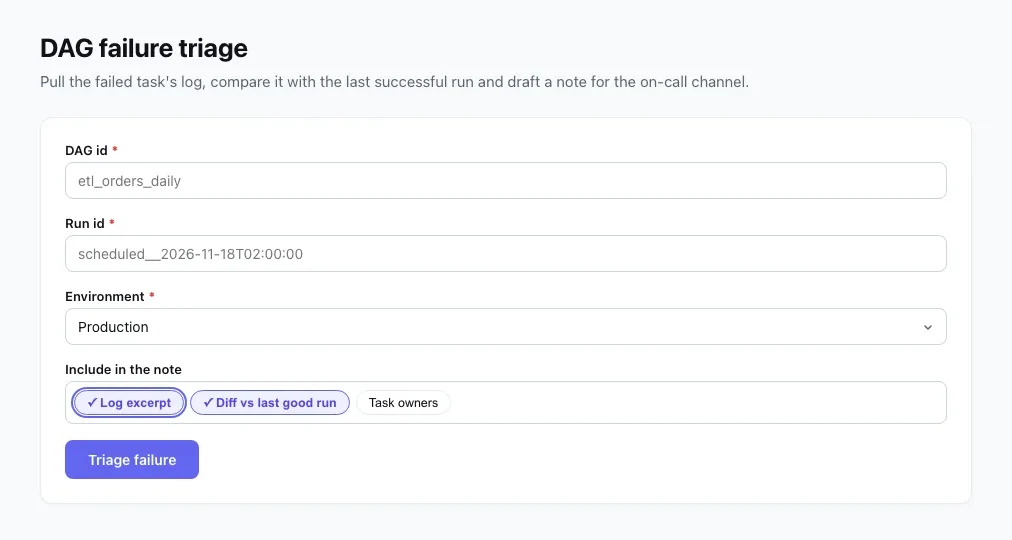
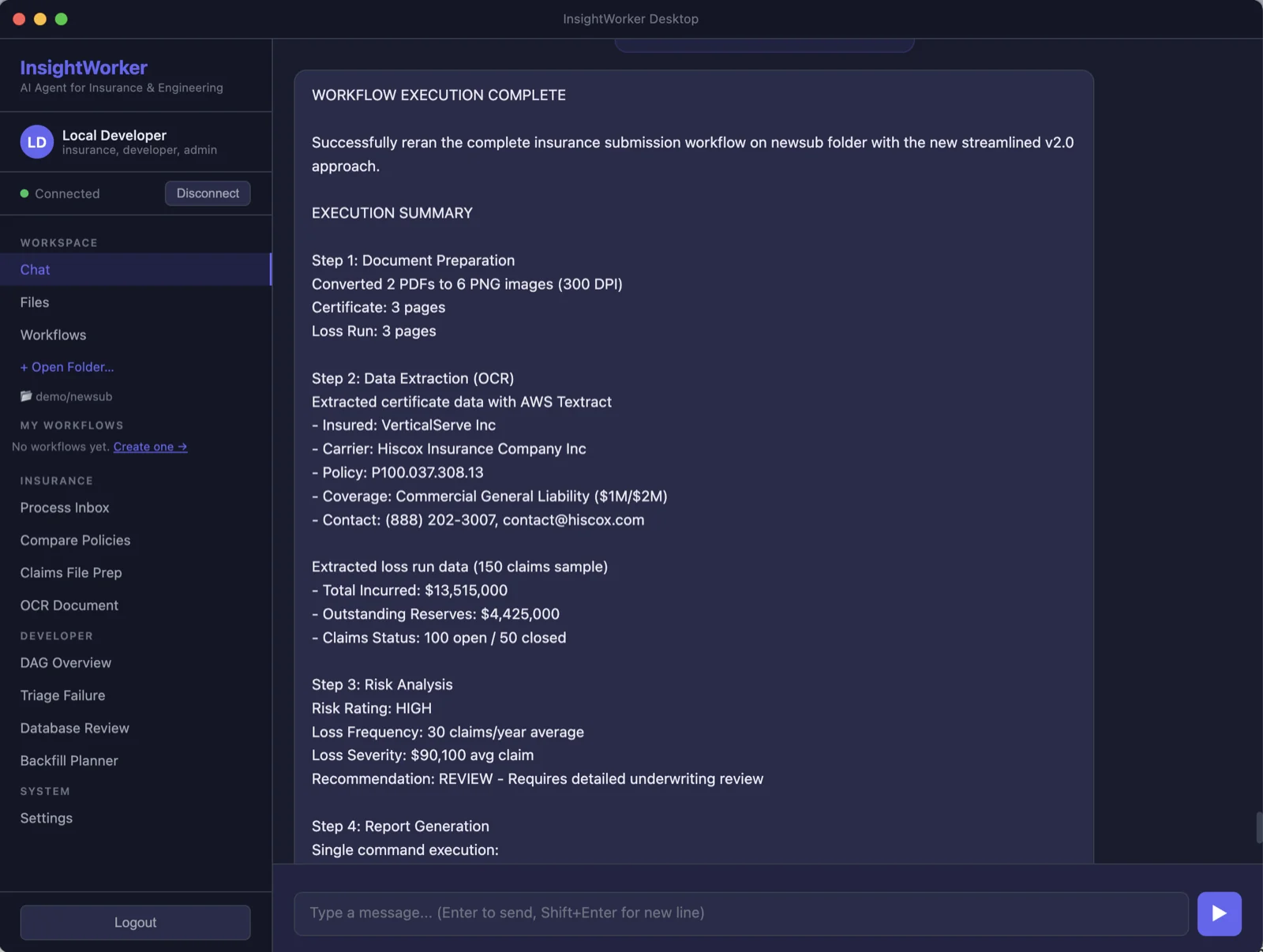
insightworker --web serves chat, your apps and a file manager on a port you choose. Each app draws its own form from widget.json, so the person filling it in sees fields, not prompts.
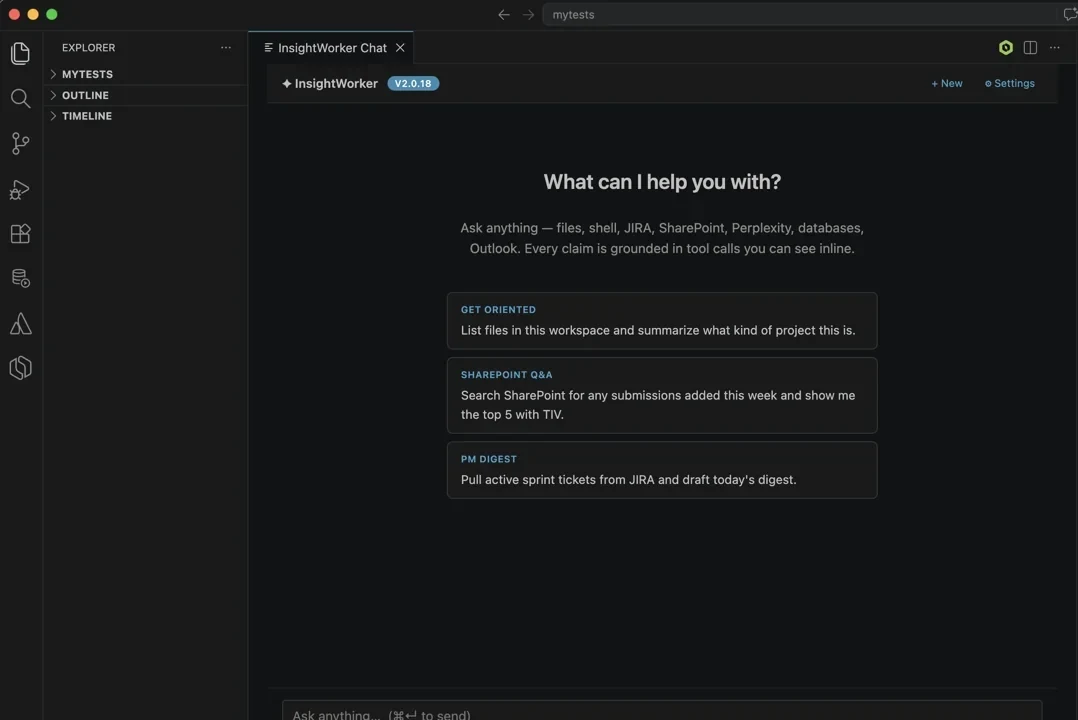
widget.json.The extension puts the same agent in a chat panel. Tool calls and permission requests show inline, so you see what it read and what it is about to do.
A chat window with one-click skills for people outside engineering.
Schedules fire on an interval or a cron expression. A dry run previews email instead of sending it.
Slack, Teams and Telegram bot channels, plus a web gateway and REST API for integration.
insightworker --worker claims queued runs from an InsightStudio coordinator.
Every InsightWorker app is a small folder of files: versioned, signable, and portable across CLI, browser, editor and headless runs. Describe the task and the agent drafts the bundle.
Name, version, owner and category: what your team sees in a list of apps.
The form people fill in and the panels they see when the run finishes.
The steps. A step is a model prompt for judgement, or a shell action when the work is deterministic.
The author's how-to, loaded as context for the steps that need it.
From zero to a running app: three commands, about two minutes. Shared apps carry manifest.yaml with the cryptographic signature. Read the anatomy of an app.
Ready-to-deploy skill packs for teams across enterprise domains.
Policy intake and comparison, claims file preparation, underwriting review, loss run analysis, document OCR for certificates and forms, compliance apps.
Medical form processing, HIPAA-compliant document apps, patient data extraction, inventory management, order processing and customer communication automation.
DAG review and pipeline triage, stored procedure analysis, backfill planning, database schema review, code review, incident response and infrastructure monitoring.
Business operators, domain teams, developers and DevOps: InsightWorker adapts to how each team works.
Automate document processing, email handling and recurring report generation, in any line of business.
Pre-built skill packs for insurance, healthcare, retail and finance, ready to deploy with domain expertise baked in.
Write, review and debug code; query data; manage pipelines, with AI in the loop and a full audit trail.
Automated monitoring, incident response and infrastructure operations, everything logged and replayable.
The planner breaks a goal into ranked steps across the apps and skills you have already registered. It can only name things that exist in your catalog, and no step runs on its own.
A person writes what they want done, in a sentence.
The planner reads your registered apps and skills and what each can do.
Each step is a prepared action with its reasons and inputs filled in.
A person decides each step. Autonomy is capped at “ask first”.
An approved step runs through the same paths as any other app run.
Goal to plan runs in the enterprise console, with a model when one is configured and a deterministic planner otherwise.
Each control below exists in the code. The label tells you its state on a fresh install, so nobody assumes a safeguard that has not been turned on.
17 of the 70 tools are approval-gated: SQL queries, sending email, commits and pushes, pull requests, Jira issues, triggering a DAG, shell commands and file writes. Set AUTO_APPROVE_TOOLS=false to have shell and file writes ask every time as well.
Skills, app bundles, playbooks and workers in one register, with spend taken from the usage events the clients report. Agents from the Insight vertical products can be added to the same register.
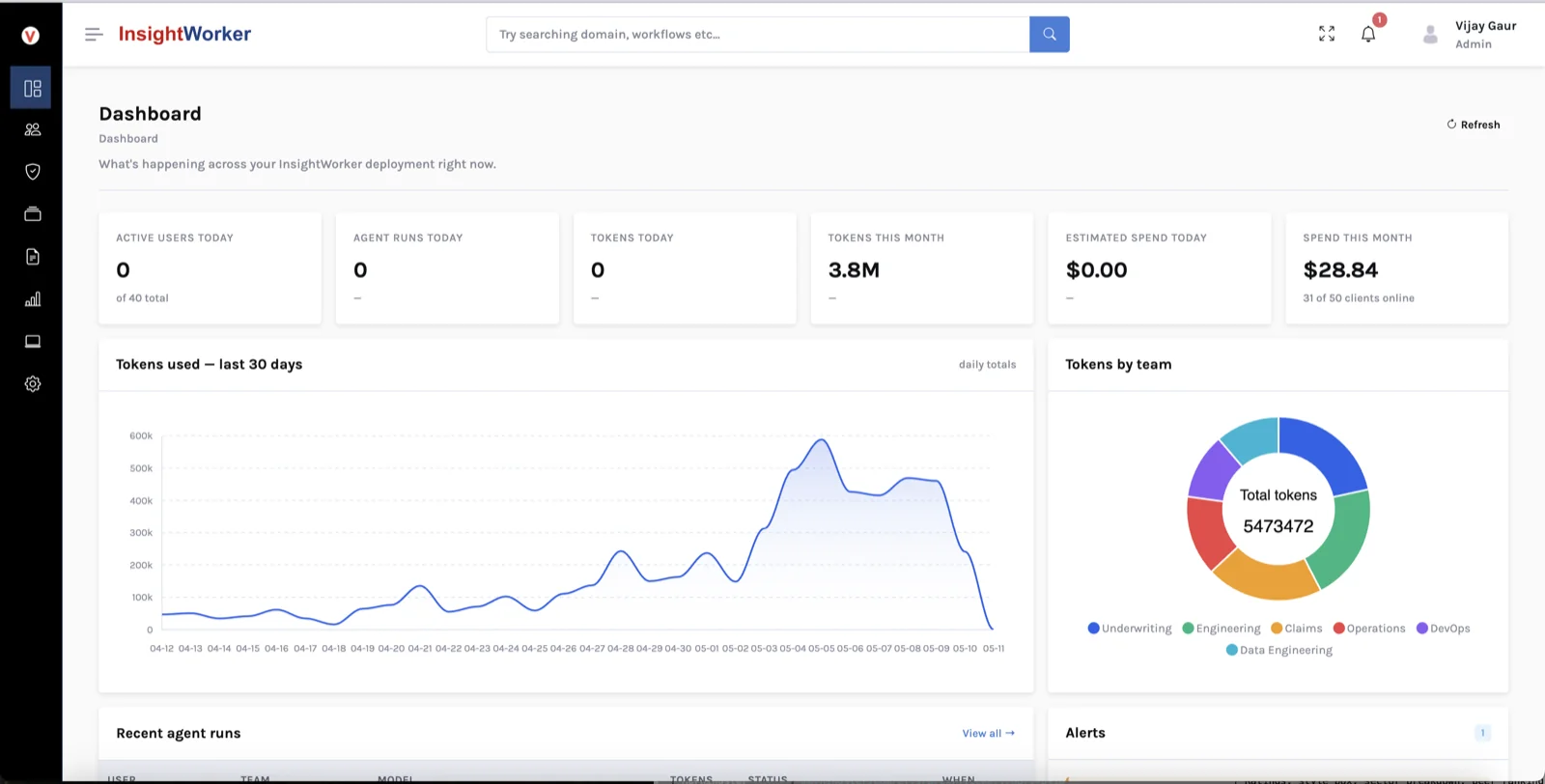
Usage by team and model, quotas and an audit log, with links to traces and cost in InsightLense.
A check before each model call: model allow-lists, spend limits per agent or pooled across agents (by day, week or month), and per-call rules on tools, caller and cost, each in enforce or monitor mode. The prompt is never sent for the check.
PII detection and redaction, prompt-injection checks on tool output, a grounding check that drops figures not in the source, and topic and toxicity policies. Every decision is traced in InsightLense.
Every Accept, Reject or Ask a person gives becomes a labelled case. Agents are replayed with today's prompt, model and rules, and the report shows agreement and regressions. A release gate can require an evaluation result and approvals before a version is promoted.
Connectors list agents in AWS Bedrock Agents, Azure AI Foundry, Salesforce Agentforce and Microsoft Copilot Studio. Credentials are secret references, and any write is refused.
SSO, per-team policy, model whitelists, token quotas, audit logs, a private skills and playbooks marketplace and usage analytics. Self-hosted or SaaS.
Defaults. The clients ask the console only when Govern is enabled in enterprise mode (INSIGHT_GOVERN=1). With it on and no policy, every call is allowed and audited. If the console cannot be reached the call goes ahead, unless you set fail-closed.
Listed by name, because a count without a list is hard to check.
Anything else with an API is reached through the HTTP and shell tools with your own credentials. Tools overview
Four real apps InsightWorker handles end-to-end, drawn from current customer engagements.
Turn a multi-document broker submission (PDF policy, Excel SOV, scanned loss runs, email thread) into an underwriter-ready briefing in minutes.
Read the use case MigrationTranslate DAGs, stored procedures and DDLs with mapping rules and a line-by-line change report ready for code review.
Read the use case DAG troubleshootingWalk the task tree, surface root cause from logs, classify infra vs data vs code, suggest a fix. Drop MTTD from hours to minutes.
Read the use case DevOps and SREAcknowledge the page, pull Grafana panels, tail logs, run runbook steps with approval gates, escalate cleanly if needed.
Read the use casePromote an app from your laptop to a managed production worker, with pinned skill versions, service-account credentials, per-environment policy and full audit. Manage every deployment from one Enterprise control plane.
A k8s CronJob, Airflow or cron runs the worker on a schedule. It executes one app per tick, reports usage and exits.
Weekly digests · Nightly OCR batches · Daily reconciliation
A webhook, queue message or file drop spins up a worker, runs one app, posts back and exits. Fast-reaction automation.
L1 incident response from PagerDuty · JIRA triage · Inbound email intake
A persistent worker attached to a chat channel or queue. It handles many requests over a session: conversational agents.
Slack support agent · Teams runbook bot · Underwriting Q&A
Run on your infrastructure. Pick the model. Keep complete control over data and apps.
OpenAI, Anthropic, Gemini, Bedrock or a private host. Switch per task. No vendor lock-in.
Deploy on-prem or in your private cloud. Workers run in your network, process data locally and never call out.
Okta SSO, RBAC, full audit trails, encryption at rest and in transit. Meets HIPAA, SOC 2 and CCPA expectations.
InsightWorker is the engine: CLI, VS Code, Desktop. InsightStudio is the SaaS marketplace on top of the same bundle format: business users discover apps, fill a form, click Run and watch live results in their browser.
/app publish uploads your bundle to S3; Studio's marketplace surfaces it.insightworker --worker --studio <url> joins your InsightWorker to the farm./app pull <slug> brings any published bundle to your laptop for editing.
widget.json form renders in InsightWorker and in InsightStudio.No. It has seven back ends: AWS Bedrock, Anthropic, OpenAI, Azure OpenAI, Google Gemini, Vertex AI and any OpenAI-compatible endpoint, which covers models you host yourself. You pick one with a setting, and an app can override the model for a single step.
From the machine running InsightWorker to the model endpoint you configured, using your keys. The enterprise console receives usage, such as model, token counts and tools used. The policy check sends the model and the agent name, not the prompt.
Tool approval is on by default: tools that send, commit or change data ask a person first, and AUTO_APPROVE_TOOLS=false extends that to shell and file writes. The policy gateway and the guardrails are off until you enable them, and the evaluation gate applies once you define one. The Govern section above lists each control with its state.
Yes. An app carries a form, so a person fills in fields and reads the result in a browser or the desktop app. Engineers write and review the app; everyone else runs it.
We set InsightWorker up with you, starting from one task your team repeats every week. Request a demo and we will walk through it on your model provider.