InsightWorker Logo

DAG Troubleshooting

Trigger or inspect a DAG run, walk the task tree, and surface the root cause from logs.

← All use cases
DAG Troubleshooting
Data engineering teams running Airflow at scale
Airflowlogsroot causeincident

The problem

  • SSH into bastion, scroll Airflow UI for the failed task.
  • Pull worker logs, grep for stack traces, correlate timestamps.
  • Cross-check upstream tables, connection pools, secrets rotation.
  • Oncall ticket bounces across data-eng, infra, and SRE channels.
  • Mean-time-to-diagnose measured in hours.

How InsightWorker handles it

1
dag-run-diagnose skill walks the task tree → failed task → logs. dag-run-diagnose skill
2
pipeline-triage classifies root cause: data, infra, code, or auth. pipeline-triage skill
3
Estimate blast radius — downstream tables and consumers affected. airflow_dag_runs · airflow_task_instances
4
Suggest a fix and (optionally) re-run the failed task with new config. airflow_trigger_dag (permission-gated)
5
Mean-time-to-diagnose drops from hours to minutes, with a full audit trail. memory · daily log

Screenshots

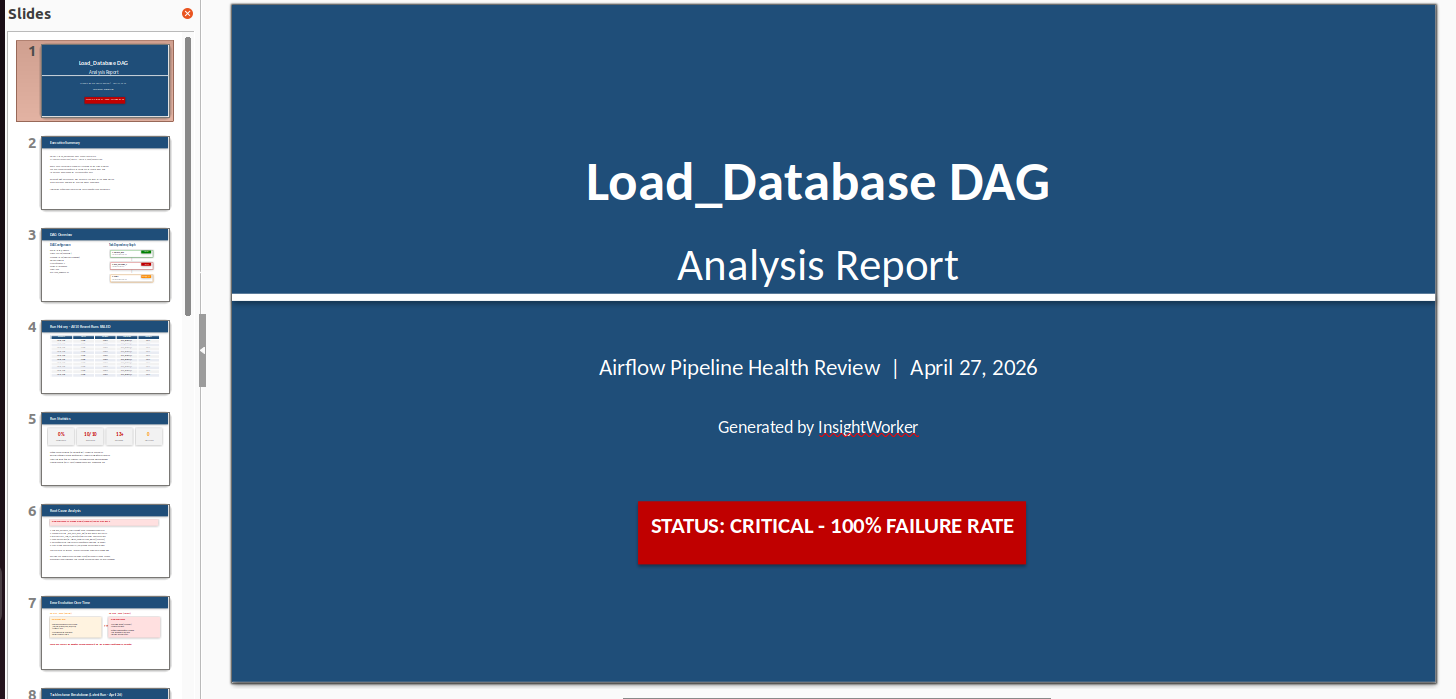
DAG troubleshooting prompt and Airflow run inspection start

InsightWorker receives the DAG troubleshooting prompt and begins inspecting the failed Airflow run and its task tree.
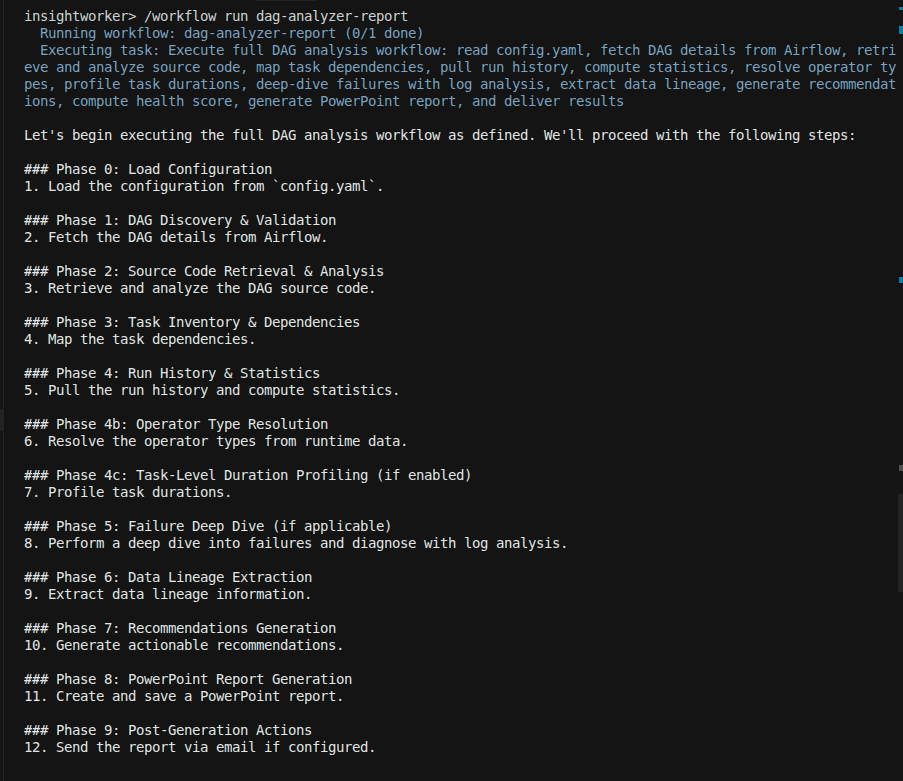
Task tree walk revealing the failed step and upstream dependencies

Task tree walk — the failing step and its upstream dependencies are identified and flagged for log analysis.
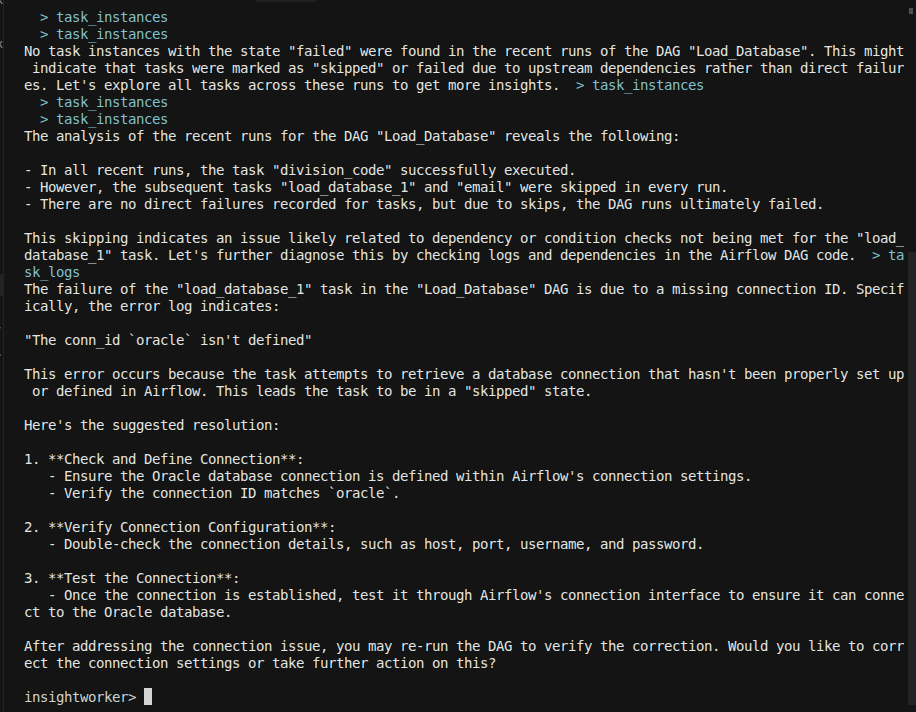
Log analysis with root cause extracted from task logs

Log analysis in progress — the agent extracts error patterns and correlates them to the specific failed task.
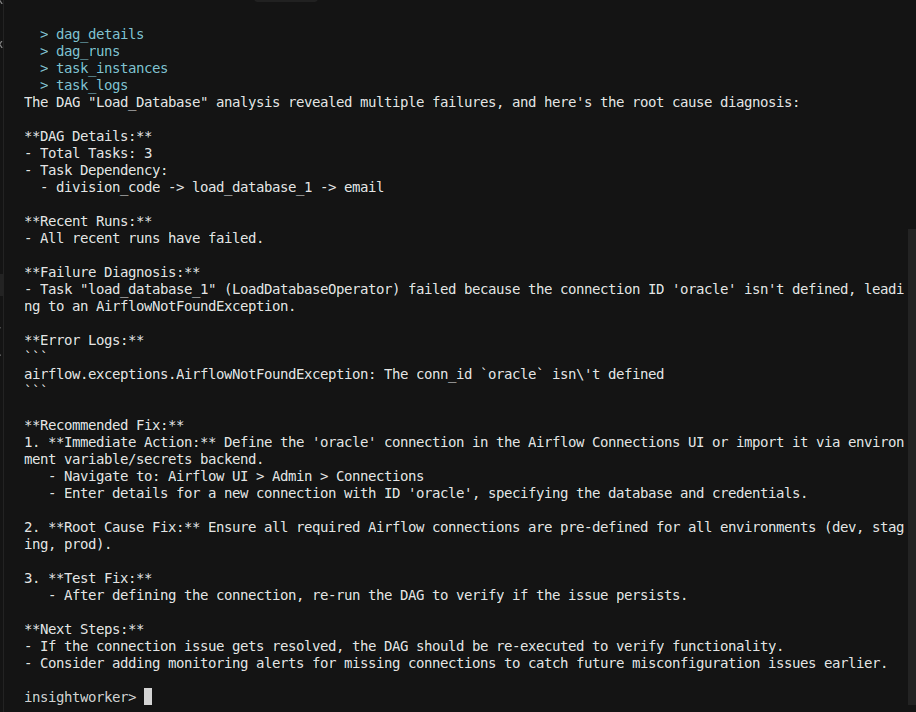
Diagnostic report with root cause summary and remediation steps

Diagnostic report delivered — root cause confirmed with log excerpts and actionable remediation steps ready for review.

Sample prompt

"Analyze the Airflow DAG health for etl_claims, diagnose why it failed last night, and suggest fixes with a short remediation plan"
Deliverables: root-cause summary · failed-task log excerpts · blast-radius list · re-run plan
Prefer the browser?
Run this in InsightStudio — no CLI install for the user.

Authors publish the app once with iw app publish; business users open it in the marketplace and click Run. Your worker box does the execution.

Visit InsightStudio →

Try this use case yourself

Free trial available — CLI, Desktop, VS Code, and the new --worker mode for InsightStudio. See download for details.

Download Free Trial