InsightWorker Logo

Submission Q&A — Chat with Your SharePoint

Underwriters and brokers ask questions about your submission corpus in natural language — InsightWorker walks the SharePoint site, opens the right docs, and answers with citations back to the source files.

← All use cases
Insurance — Underwriting
Underwriters, account managers, sales — anyone with a high-volume SharePoint document corpus
SharePointnatural languageQ&Acitationsunderwriting

The problem

  • Underwriter wants to know 'have we seen this insured before, and what did we do last time?' — answering it means clicking through six folders and three years of submissions.
  • Senior underwriters carry the institutional memory of past risks in their heads. Junior underwriters can't access it without interrupting them.
  • SharePoint's native search returns hits but not synthesis — you still have to open every result yourself.
  • Cross-submission analytics ('show me all property submissions over $100M from the last quarter') require dumping data into Excel manually.

How InsightWorker handles it

1
Open InsightWorker pointed at the workspace folder where SharePoint is configured (or the desktop app). REPL · desktop chat
2
Ask in plain language. The agent calls sharepoint_search across the indexed content, ranks hits, and decides which to open in detail. sharepoint_search · agent reasoning
3
For each promising hit, sharepoint_read pulls the file. PDFs go through read_pdf, scans through OCR, SOVs through Excel parsing. sharepoint_read · read_pdf · ocr_document
4
Agent synthesises the answer with citations — every claim links back to the SharePoint file and folder it came from. No hallucinated context. agent reasoning
5
Multi-turn: 'now compare to the bound policy', 'show me the Marsh submissions only', 'export this list to Excel' — same session, agent re-uses what it's already loaded. session memory · create_excel
6
Save common queries as apps so the answer rebuilds on demand: '/app run weekly-pipeline-snapshot'. /app create · /app run

Screenshots

InsightWorker traversing SharePoint to find relevant submission folders

InsightWorker traverses the SharePoint submission corpus, running natural language search to surface the most relevant folders and files.
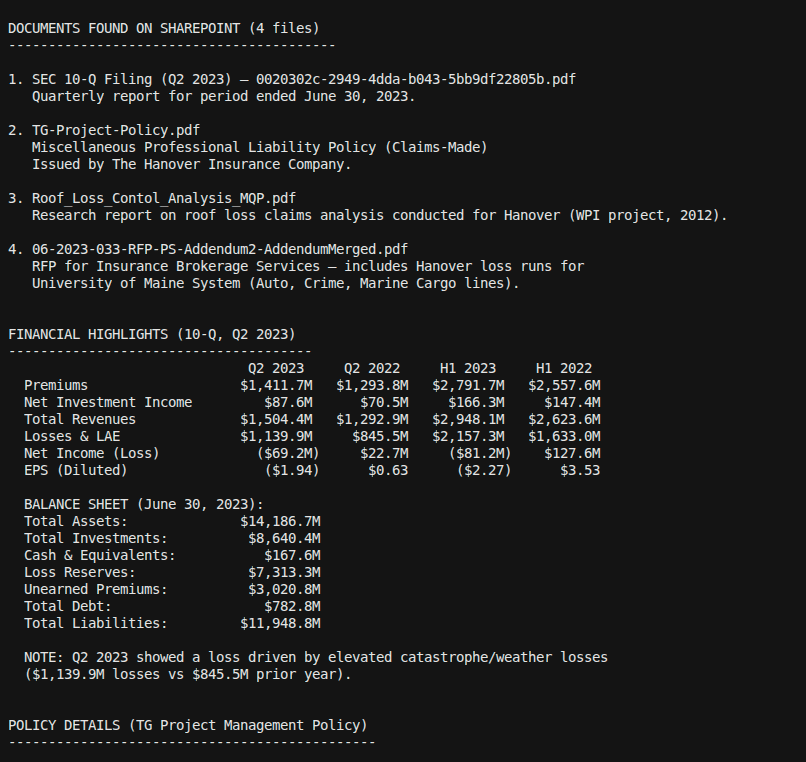
Agent reading documents — PDFs, SOVs, and scanned files parsed with OCR

Agent opens the matched files — PDFs read via read_pdf, scanned pages via OCR, SOVs parsed as Excel — and extracts the answer material.
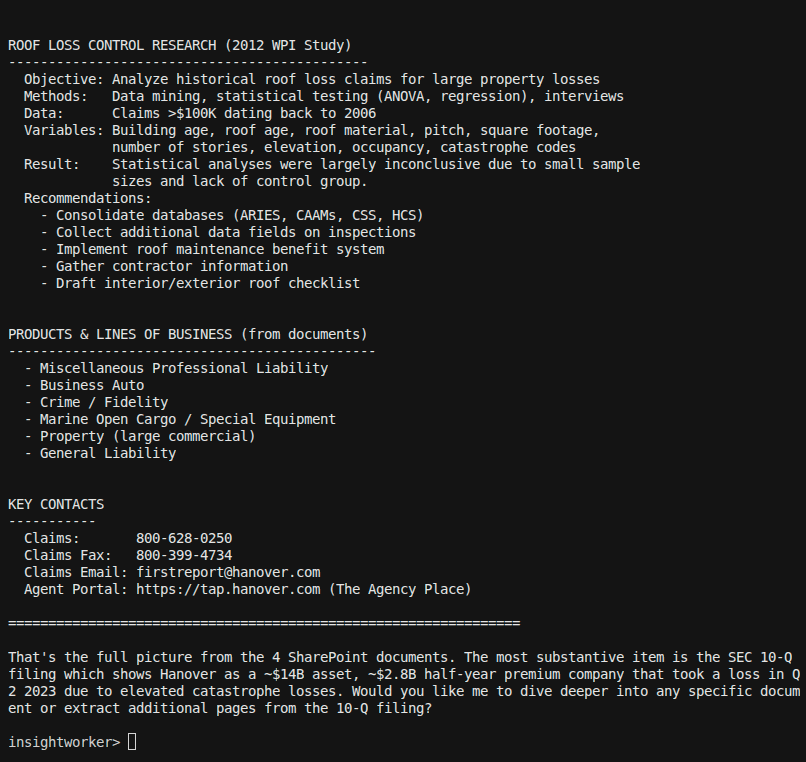
Cited answer delivered — every claim linked back to the source SharePoint file

Cited answer delivered — every fact links back to the exact SharePoint file and folder it came from, with no hallucinated context.

Sample prompt

"Have we ever quoted Acme Manufacturing? If so, what did the SOV TIV look like, who was the broker, and did we bind?"
Deliverables: answers in chat with citations · ad-hoc Excel exports · saved apps for repeat queries
Prefer the browser?
Run this in InsightStudio — no CLI install for the user.

Authors publish the app once with iw app publish; business users open it in the marketplace and click Run. Your worker box does the execution.

Visit InsightStudio →

Try this use case yourself

Free trial available — CLI, Desktop, VS Code, and the new --worker mode for InsightStudio. See download for details.

Download Free Trial