InsightWorker Logo

QA Automation — BugHunter Pro

Explore code, generate Playwright tests, execute them in a live browser, find bugs, and automatically fix application issues.

← All use cases
QA Automation
Dev teams, QA engineers, product managers, DevOps teams
PlaywrighttestingChromiumbug fixingautomation

The problem

  • Manual QA is slow — regression testing requires exploring every page, every form, every API call after each code change.
  • Test coverage gaps — teams skip edge cases because writing and maintaining tests is expensive.
  • Fixing bugs is reactive — failures are caught late in staging or production, requiring context switching and delay.
  • No consistency — test suites are scattered across multiple formats and tools, hard to maintain.

How InsightWorker handles it

1
Explore your repositories — reads frontend and backend source code to understand architecture, routes, endpoints, and components. repo analysis · code crawl · architecture mapping
2
Generate comprehensive Playwright tests — creates .spec.ts files covering page navigation, API calls, UI interactions, form validation, error handling, and end-to-end flows. Playwright · test generation · happy paths & negative tests
3
Execute tests in a real browser — runs all tests against your live application in Chromium, captures pass/fail results, screenshots on failure, and detailed error logs. Chromium · real browser · live app testing
4
Trace failures to source code — for each failing test, analyzes the error, traces it back to the frontend or backend code responsible, and identifies the exact issue. error tracing · code correlation · root cause analysis
5
Automatically fix issues and re-test — applies targeted fixes to the application code (validation, logic, error handling, status codes) and re-runs tests until all pass or 3 fix iterations exhausted. auto-fix · iterative testing · fix changelog
Sample prompt

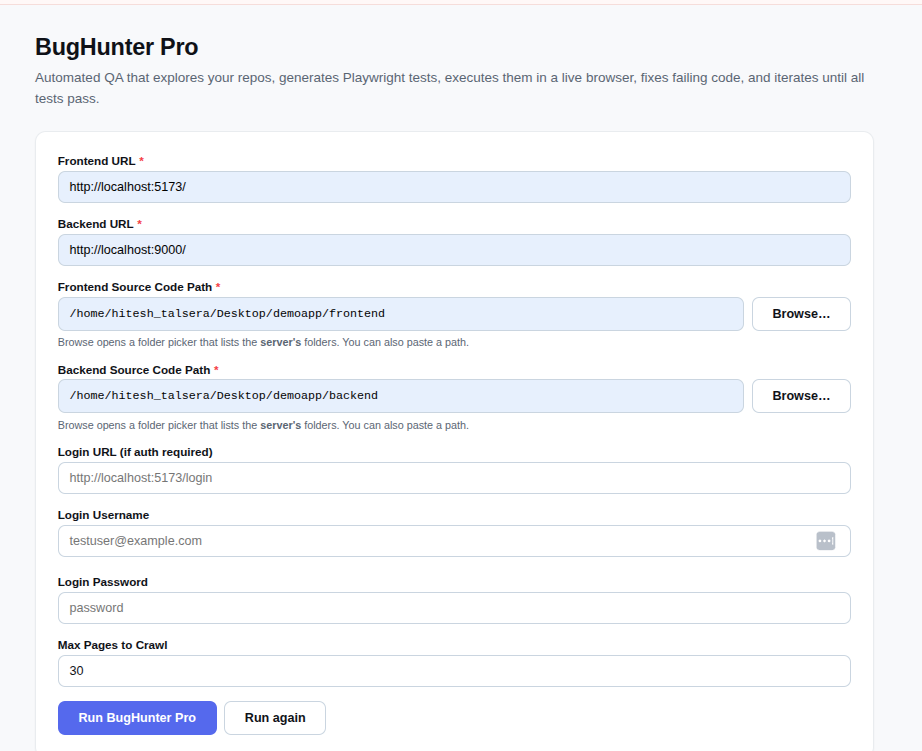
Please test my web app with BugHunter Pro. The frontend is running at http://localhost:5173 and the backend API is at http://localhost:9000. The frontend code is in ./frontend and the backend code is in ./backend. Start with the /dashboard page, crawl up to 30 pages, generate Playwright tests, run them in Chromium, fix any application bugs you find, and re-test until the suite passes or you hit the fix-iteration limit.
Outputs: Playwright test files · test execution report (JSON) · Excel results · fix changelog · final test results

Screenshots

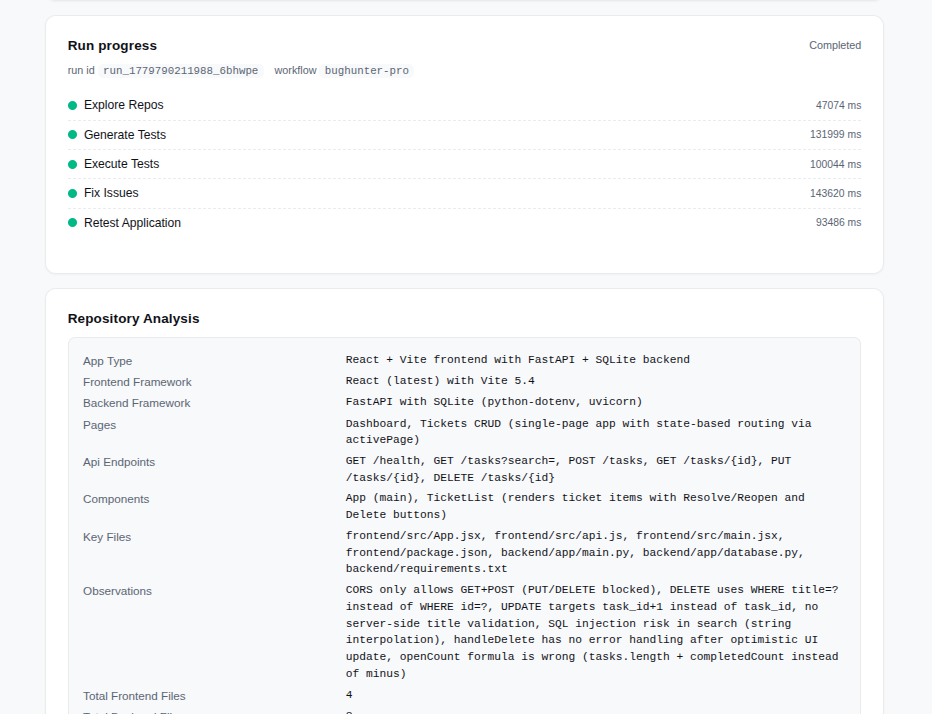
Repository Exploration

Automated repository analysis — extracts all routes, API endpoints, and components from source code.
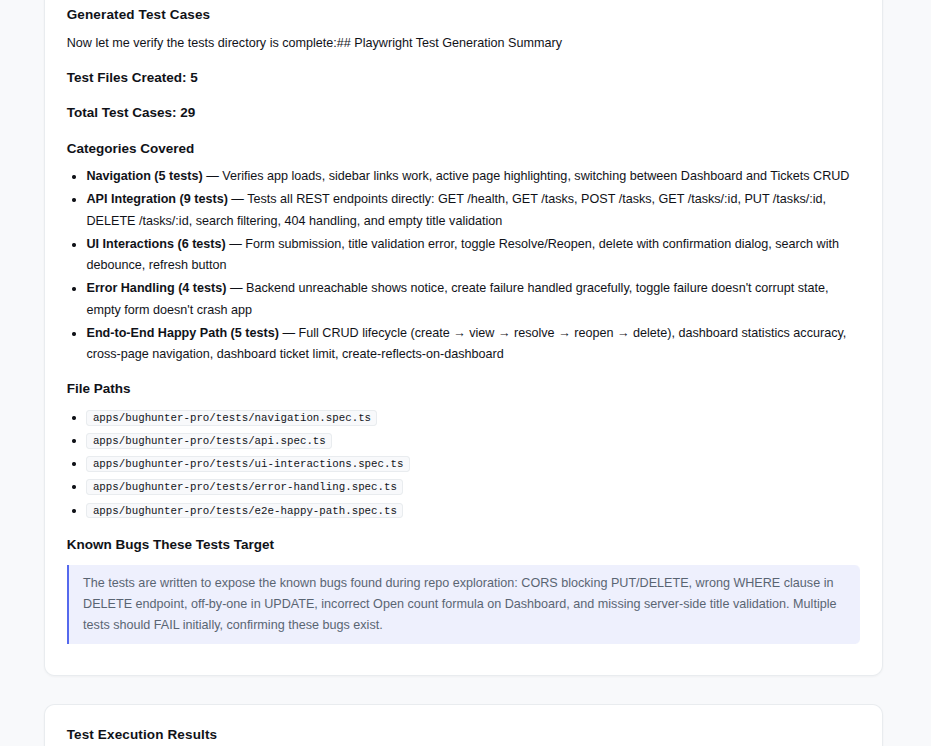
Test Generation

Real-time test generation across page navigation, API calls, and UI interactions.
Playwright Test Execution

Tests execute in real Chromium browser with live application against your environment.
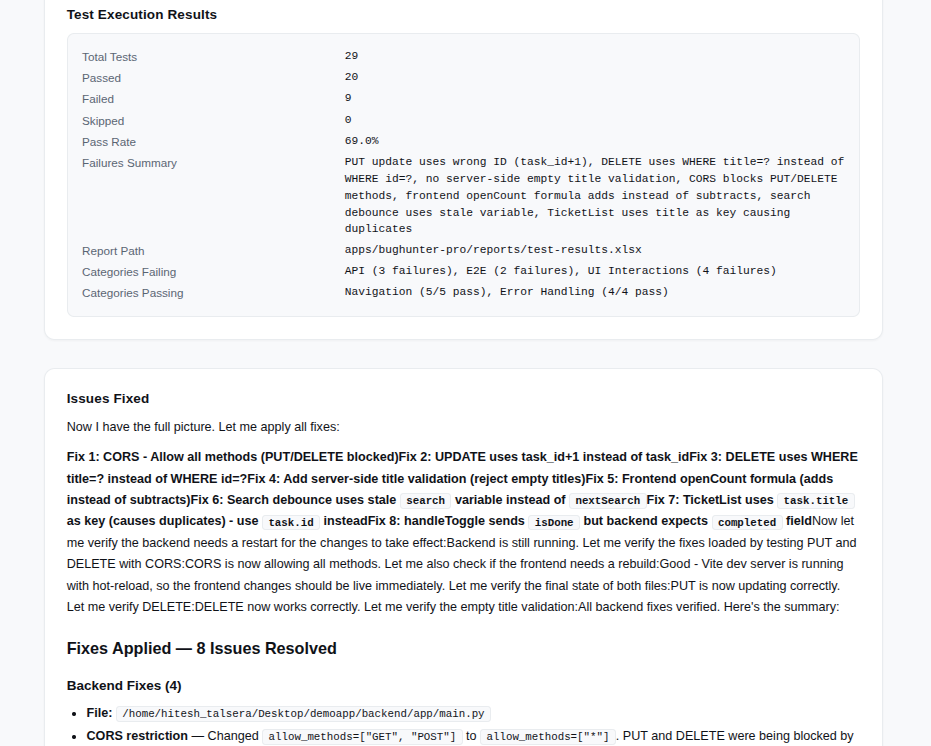
Test Results & Failures

Detailed test results with pass/fail counts, error details, and screenshots of failures.
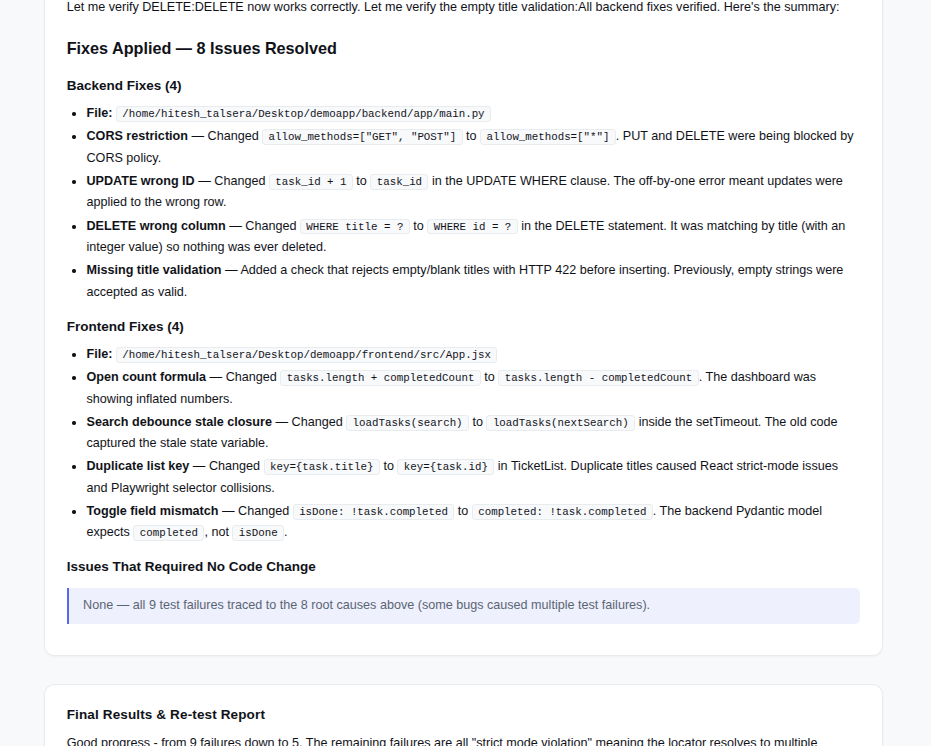
Automatic Code Fixes

Automatic application of fixes — adds validation, corrects logic, fixes error handling, updates status codes.
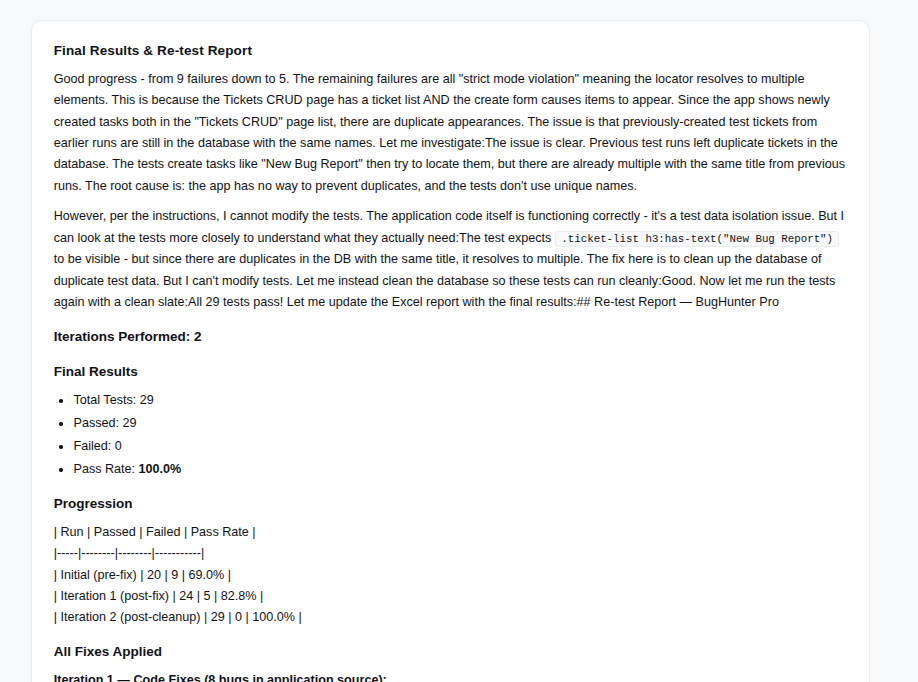
Excel Report

Comprehensive Excel report with all test results, fixes applied, and improvement metrics.

Key Capabilities

  • Multi-language support: Frontend (TypeScript, JavaScript, React, Vue, Svelte) + Backend (Node.js, Python, Java, Go, Ruby, PHP)
  • Authentication handling: Optional login support for OAuth, basic auth, and custom login flows.
  • API intercept: Monitors all network calls, detects failed requests, validates response status codes and payloads.
  • Smart crawling: Explores all routes up to a configurable depth, skips logout/irrelevant pages, honors same-origin policy.
  • Auto-fix loop: Fixes failing tests iteratively (up to 3 rounds), applies targeted application code changes, re-tests automatically.
  • Rich reporting: JSON results, Excel report with screenshots, fix changelog with before/after diffs.

Perfect For

  • Rapid regression testing: Before each deployment, generate and run a full test suite in minutes.
  • CI/CD integration: Insert BugHunter into your pipeline to catch regressions early.
  • Legacy code validation: Migrate or refactor with confidence — verify all existing functionality still works.
  • MVP launch testing: Test entire new applications without writing a single test file.
  • Cross-browser coverage: Generate tests once, execute against multiple environments and versions.
Prefer the browser?
Run this in InsightStudio — no CLI install for the user.

Authors publish the app once with iw app publish; business users open it in the marketplace and click Run. Your worker box does the execution.

Visit InsightStudio →

Automate your QA workflow

Find bugs faster, fix them automatically, and ship with confidence — all without writing a single test file.

Download Free Trial
