InsightWorker Logo
  • contact@verticalserve.com

Document Analyzer — Q&A & Summaries

Ask questions about any document or get intelligent summaries — supports PDFs, Word, Excel, images from local files, S3, OCI, SharePoint, or URLs.

← All use cases
Document Operations
Any team that needs to extract insights from documents without manual reading — research, compliance, customer service, and knowledge management.
document analysisQ&AsummariesOCRmultiple sources

The problem

  • Teams spend hours manually reading documents to find specific information or create summaries.
  • Different document formats (PDFs, Word docs, Excel files, images) require different tools and processes.
  • Documents stored in various locations (local files, cloud storage, SharePoint) complicate access and processing.
  • OCR quality varies and manual correction is time-consuming for scanned documents.

How InsightWorker handles it

1
Accept a document path from any source (local, S3, OCI, SharePoint, URL) and optional question.document-analyzer
2
Fetch the document and detect its format (PDF, Word, Excel, image, text).auto-detection
3
Extract content using the appropriate method — OCR for images, native parsing for structured formats.
4
If a question is provided, search for relevant sections and provide a direct answer with evidence.
5
If no question, generate a summary proportional to document length with key facts and structure.

Sample prompt

Create a Document Analyzer app with the following behavior:

* Accept a document path as input.
* Support documents stored in multiple sources, including local storage, S3, object storage, and similar repositories.
* Fetch the document from the given path.
* Analyze the document content after retrieval.
* If a user provides a question with the document, generate an answer only for that question.
* If no question is provided, generate a document summary instead.
* Ensure the summary length is proportional to the document size and content volume.
                    

This app accepts a document path from any source, fetches the document from the given path, analyzes its content, and returns a question-specific answer when a question is included. If no question is provided, it generates a summary whose length is proportional to document size and content volume.
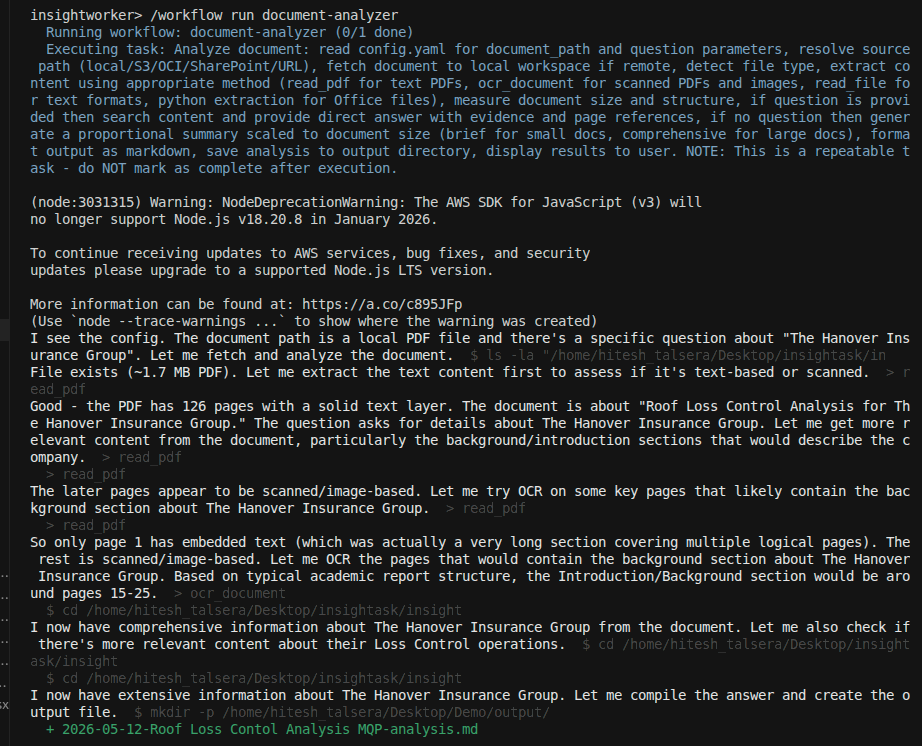
Screenshots

Document analyzer app prompt input

Natural language prompt specifying document location and question.
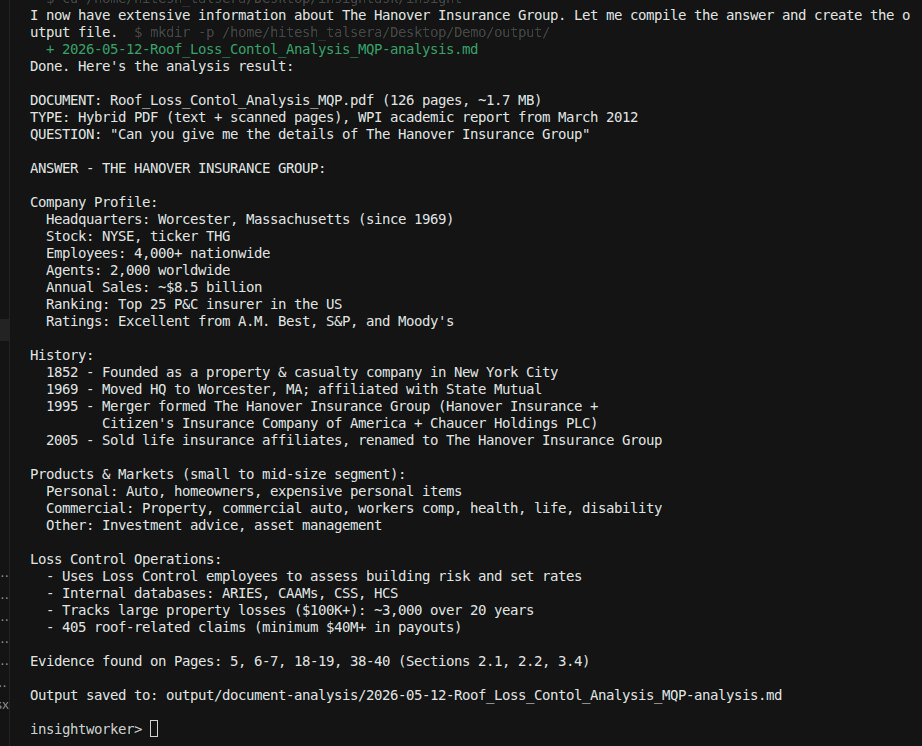
Document content extraction and analysis

Content extraction from the document and analysis processing.
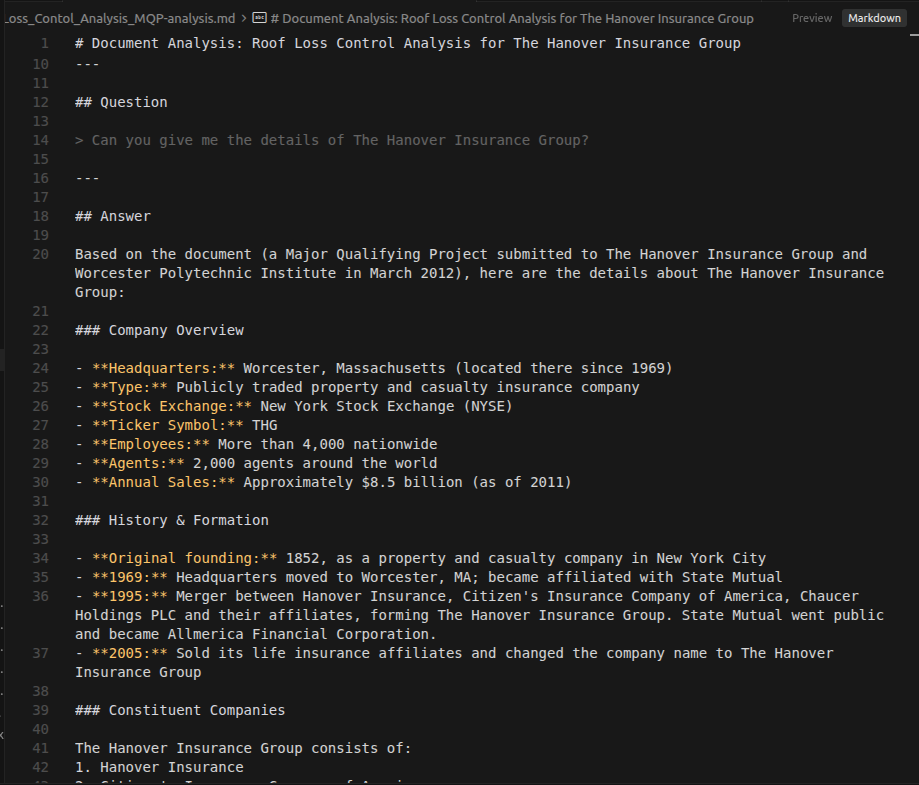
Question answering results with evidence

Direct answer to the question with supporting evidence from the document.
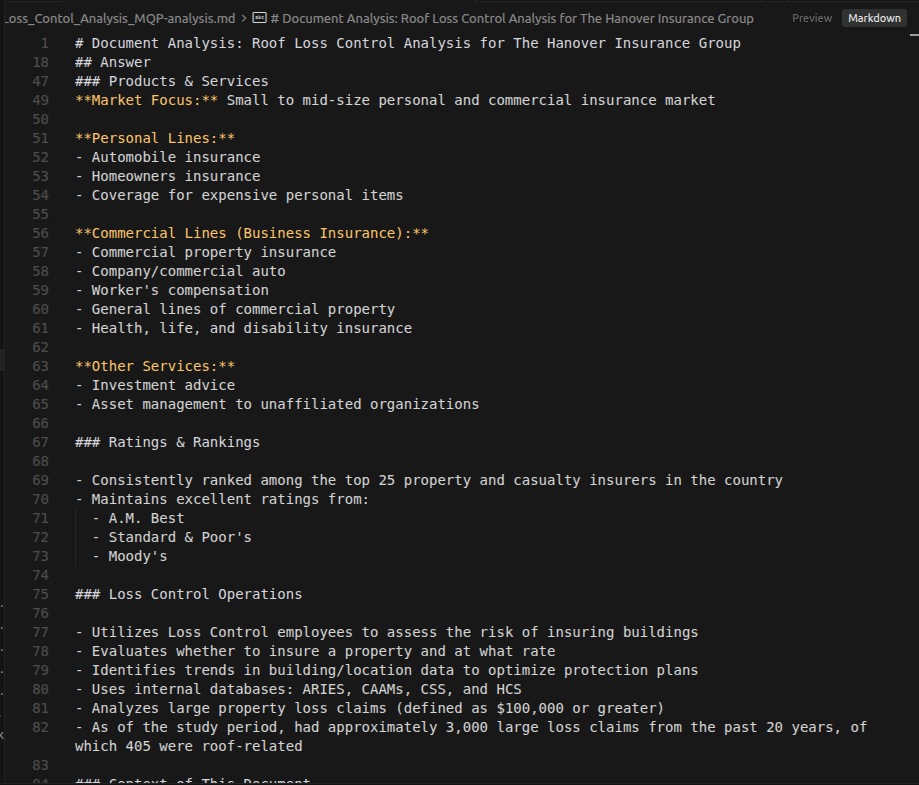
Document summary generation output

Intelligent summary when no specific question is asked.

Deliverables: extracted_content.txt · answer_with_evidence.md · document_summary.md · extraction_metadata.json

Analyze any document instantly

Use InsightWorker to fetch, analyze, and extract insights from documents across any source and format.

Download Free Trial
