Data Warehouse Optimization
Business analysts, data teams, underwriters,
claims managers
DatabricksSQLnatural languageinsuranceanalytics
The problem
- Business users need SQL expertise
to query Databricks — most don't have it, so data teams become bottlenecks.
- Writing correct SQL requires
knowing table names, schema structures, and how to JOIN claims to policies to customers —
tribal knowledge.
- Ad-hoc questions take days to
answer because analysts are swamped with query requests.
- Risk of incorrect queries — users
who try to write SQL themselves often generate wrong results, leading to wrong decisions.
How InsightWorker
handles it
1
Discover Schema — Connect to Databricks and retrieve all table names, columns, and types
from the specified catalog/schema.
Databricks API · schema introspection
2
Generate SQL Query — Translate the user's plain English question into valid Databricks
SQL using the discovered schema.
natural language interpretation · SQL generation
3
Execute Query — Run the generated SQL against Databricks with error handling and
optional auto-fix on failure.
databricks-sql-connector · query execution
4
Format Results — Present results in a clear table format with a natural language answer
summarizing key findings.
result formatting · summary generation
Sample prompts
"How many claims are filed for each policy type?"
"Show all policies where coverage limits exceed $5 million"
"Which broker has the most claims in the last 90 days?"
"List open claims with payout greater than $50,000"
Deliverables: Generated SQL · Query Results · Answer
Summary · Row Count
Screenshots
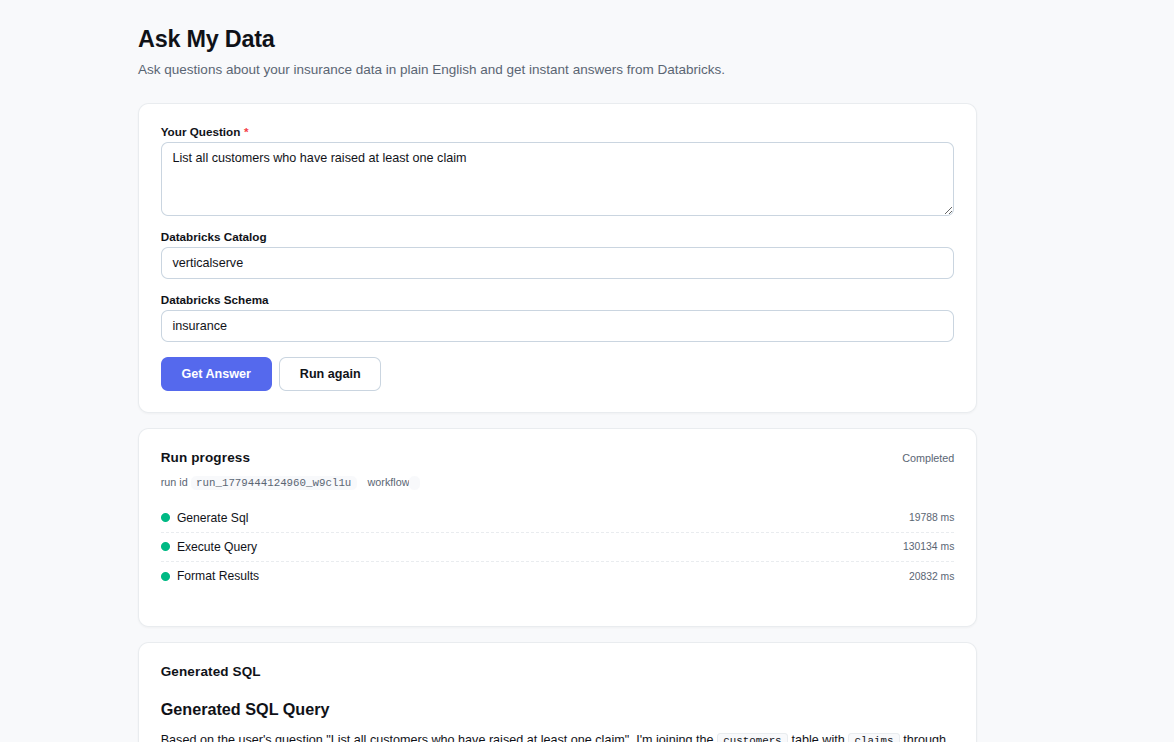
Enter your natural language question about Databricks insurance data — no SQL knowledge
required.
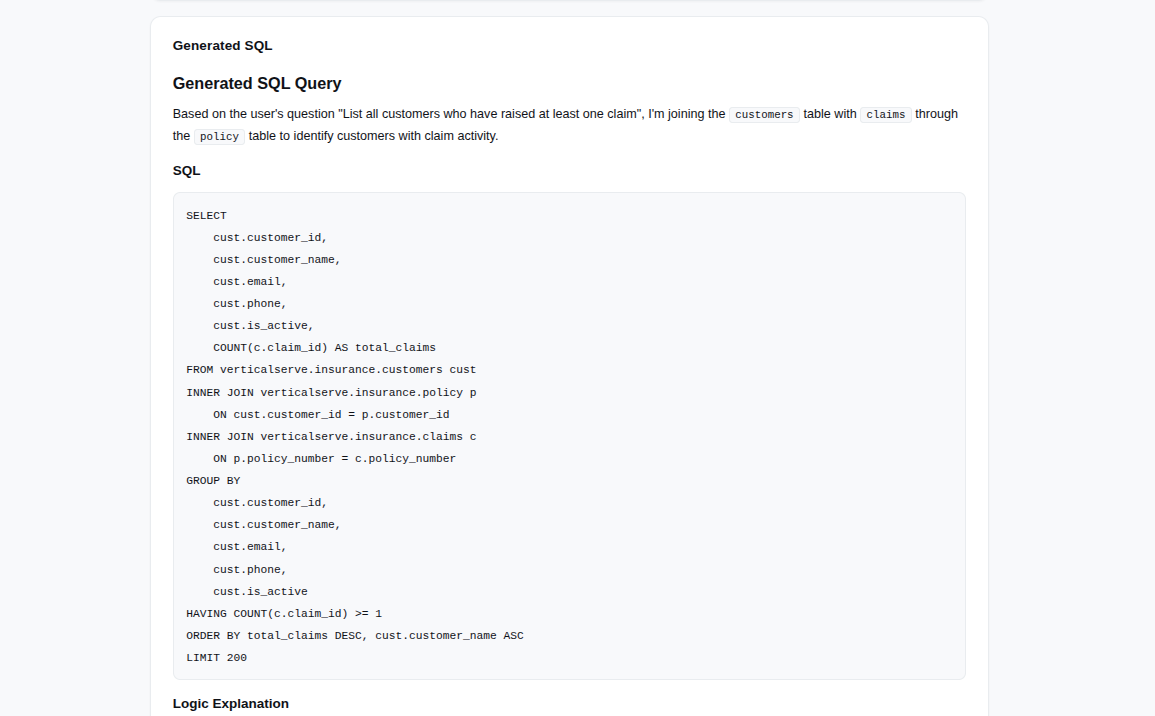
The agent generates and displays the SQL query for transparency and verification.
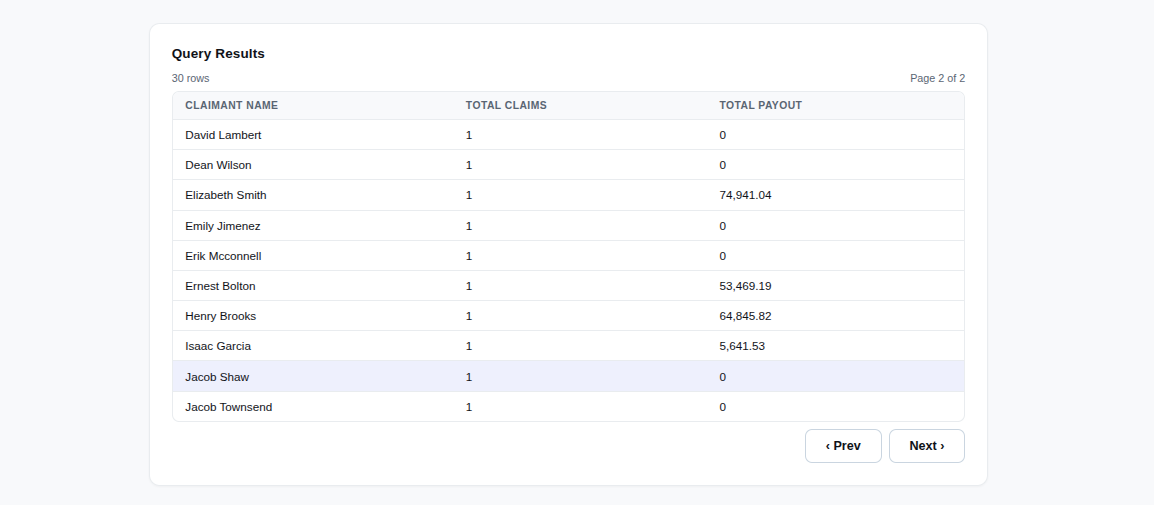
Results displayed in a clean table format with proper alignment and formatting.
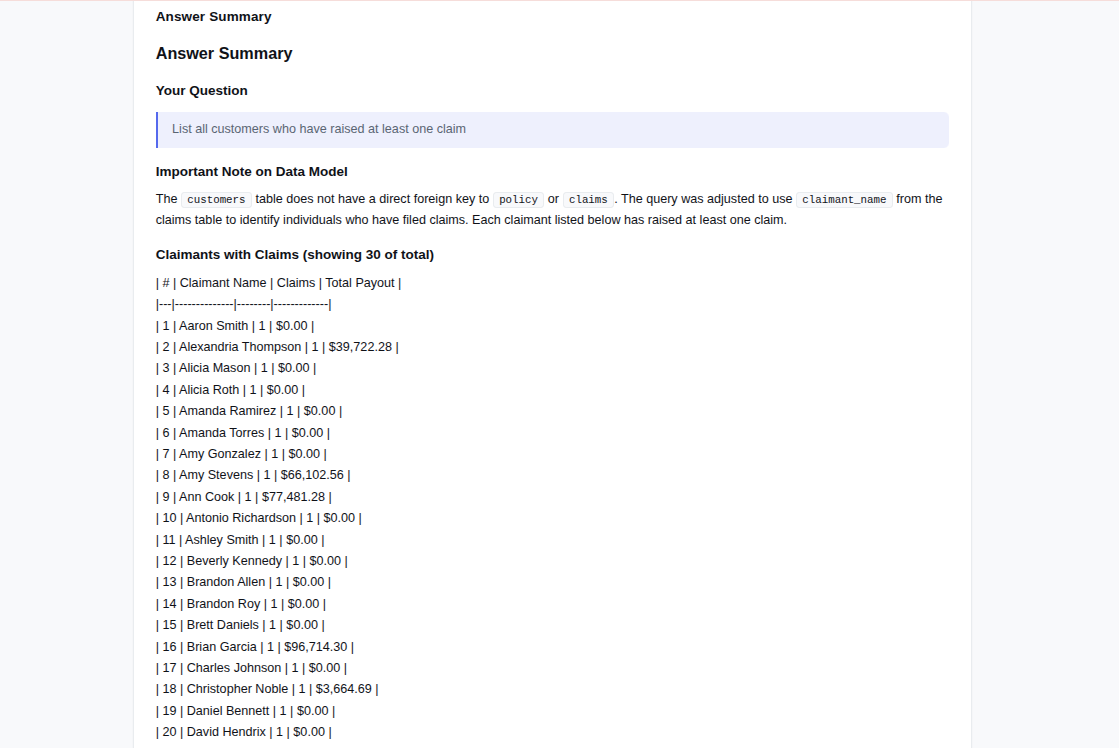
Plain English answer summarizing key findings with row count and notable observations.
Key Features &
Capabilities
- Read-Only
Access: Only SELECT queries generated — no writes or DDL operations allowed.
- Auto-Discovery:
Automatically discovers available tables and columns from your Databricks schema.
- Smart JOINs:
Maps relationships across claims, policies, customers, reinsurance, and submissions tables.
- Error Handling:
Graceful handling of connection errors and failed queries with optional auto-fix retry.
- Query Limits:
Automatic LIMIT clauses prevent runaway queries — sensible defaults for aggregations.
- Transparency:
Shows generated SQL so users understand what query was run and can audit results.
Supported Data
Sources & Tables
- Catalog:
verticalserve (configurable)
- Schema:
insurance (configurable)
- Tables: claims,
customers, policy, reinsurance, submissions
Prefer the browser?
Run this in InsightStudio — no CLI
install for the user.
Authors publish the app once with iw app publish;
business users open it in the marketplace and click Run. Your worker box does the
execution.
Visit
InsightStudio →
Empower your team
with instant data access
Let business users query
Databricks in plain English — eliminate bottlenecks and accelerate insights.
Contact our team
